My Apple Guide has discovered a hidden preference pane that allows the customisation of four-finger gestures on the new trackpads included with Apple's latest notebooks.
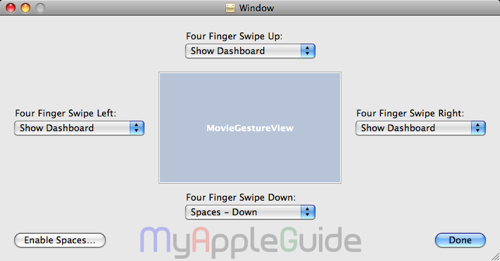
The preference pane shows drop down menus for each direction of swipe, currently four-finger gestures are set at defaults, switch applications (swipe left/right) or invoke Exposé (swipe up/down) and cannot be changed but it appears Apple plans at some point to allow these to be changed.
My Apple Guide suggests that the new preference may not be available until the release of Snow Leopard later this year.
The hidden .nib file can be found at /System/Library/PreferencePanes/Trackpad.prefPane/Contents/Resources/English.lproj/FourFingerSwipeGesture.nib on Mac OS X Leopard versions pre-installed on the latest Apple notebooks.